Hello! I'm looking for a button for my blog (What I Wear, What I Do And Why I Did It) and also a button for my Christian Fashion Bloggers website!
Use any picture you'd like from my site, or one of yours. But please make sure you don't use a photo from someone else blog/website/Google (as it may be copyrighted).
You can have free reign as far as the buttons go! I'll pick the one I like best and it will become the official button! What are you waiting for? Email me the HTML at Atkersonfamily(at)aol(dot)com

Showing posts with label Blog Button. Show all posts
Showing posts with label Blog Button. Show all posts
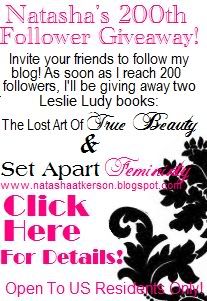
200th Follower Giveaway! Leslie Ludy Books!
201

Faithful followers will know that I have 134 followers right now! (Okay, so I'm probably the only one who knows that...) I decided it would be fun to have a 200th follower giveaway! This doesn't mean that if your the 200th follower, you'll win. In fact, I'd like to get over 200 followers if I can! Heres how its going to work:
After I reach 200 followers, I will start the giveaway!
What will you be winning you ask? Two Leslie Ludy books (pictured above) appropriate for all ages!
Lost Art Of True Beauty, And Set Apart Femininty!
Please leave each entry in SEPERATE comments.
Required:
1 Entry: {You must be a follower to enter this giveaway! You CAN NOT enter the giveaway until there are 200 followers! (I will block all commenting on this post till then)}
Leave a comment after I reach 200 followers, telling me your a follower so you get your entry!
Become a follower now, to raise the numbers, and also get an update when I reach 200!
Optional:
1 Entry: Put my giveaway button on your blog sidebar(Ultimatley you will be helping to speed up the process by spreading the word)
![]()
 "/>
"/>
<em><a href=www.natashaatkerson.blogspot.com><img src="<a href="http://s761.photobucket.com/albums/xx252/4JesusInMT/?action=view&current=200.jpg" target="_blank"><img src="http://i761.photobucket.com/albums/xx252/4JesusInMT/200.jpg" border="0" alt="Photobucket"></a>"/></a>
</em>
1 Entry: Leave the link to your favorite outfit featured on my blog.
1 Entry: Post about my blog on your blog (leave link).
1 Entry: Tell me something you'd like me to post about in the future.
1 Entry: Put my blog on your blog roll (leave link)
1 Entry: Tell me a product you'd like to see me review.
1 Entry: Leave me a link to your favorite modest fashion blog.
Faithful followers will know that I have 134 followers right now! (Okay, so I'm probably the only one who knows that...) I decided it would be fun to have a 200th follower giveaway! This doesn't mean that if your the 200th follower, you'll win. In fact, I'd like to get over 200 followers if I can! Heres how its going to work:
After I reach 200 followers, I will start the giveaway!
What will you be winning you ask? Two Leslie Ludy books (pictured above) appropriate for all ages!
Lost Art Of True Beauty, And Set Apart Femininty!
Please leave each entry in SEPERATE comments.
Required:
1 Entry: {You must be a follower to enter this giveaway! You CAN NOT enter the giveaway until there are 200 followers! (I will block all commenting on this post till then)}
Leave a comment after I reach 200 followers, telling me your a follower so you get your entry!
Become a follower now, to raise the numbers, and also get an update when I reach 200!
Optional:
1 Entry: Put my giveaway button on your blog sidebar(Ultimatley you will be helping to speed up the process by spreading the word)
"/><em><a href=www.natashaatkerson.blogspot.com><img src="<a href="http://s761.photobucket.com/albums/xx252/4JesusInMT/?action=view&current=200.jpg" target="_blank"><img src="http://i761.photobucket.com/albums/xx252/4JesusInMT/200.jpg" border="0" alt="Photobucket"></a>"/></a>
</em>
1 Entry: Leave the link to your favorite outfit featured on my blog.
1 Entry: Post about my blog on your blog (leave link).
1 Entry: Tell me something you'd like me to post about in the future.
1 Entry: Put my blog on your blog roll (leave link)
1 Entry: Tell me a product you'd like to see me review.
1 Entry: Leave me a link to your favorite modest fashion blog.
Christian Fashion Blogger Button!
I finally got around to making you a "Christian Fashion Blogger" button! So now, everyone can identify you as a Christian fashion Blogger! Go ahead and take the button! And even if your not part of my Christian Fashion Bloggers or my blog roll, you can still take it!
![]()
 "/>
"/>
"/> 3 Days Till Feminine Fashion Week!

Tags:
Blog Button,
Clothes,
Feminine Fashion Week,
Modesty,
Natasha

FFW 2011 BUTTONS

Feminine Fashion Week is only 9 days away! Hurry and sign up! Everyone is welcome!
Natasha

<a href="http://natashaatkerson.blogspot.com/p/feminine-fashion-week-2011.html"><img src="<a href="http://s787.photobucket.com/albums/yy151/Hara_Anwip/Natashas%20Buttons%20Etc/?action=view¤t=1b-1.jpg" target="_blank"><img src="http://i787.photobucket.com/albums/yy151/Hara_Anwip/Natashas%20Buttons%20Etc/1b-1.jpg" border="0" alt="Natasha Twirling B&amp;W"></a>"/></a>

<a href="http://natashaatkerson.blogspot.com/p/feminine-fashion-week-2011.html"><img src="<a href="http://s787.photobucket.com/albums/yy151/Hara_Anwip/Natashas%20Buttons%20Etc/?action=view¤t=buttonbutton.jpg" target="_blank"><img src="http://i787.photobucket.com/albums/yy151/Hara_Anwip/Natashas%20Buttons%20Etc/buttonbutton.jpg" border="0" alt="Natasha Twirling B&amp;W With Pink"></a>"/></a>

<a href="http://natashaatkerson.blogspot.com/p/feminine-fashion-week-2011.html"><img src="<a href="http://s787.photobucket.com/albums/yy151/Hara_Anwip/Natashas%20Buttons%20Etc/?action=view¤t=2button.jpg" target="_blank"><img src="http://i787.photobucket.com/albums/yy151/Hara_Anwip/Natashas%20Buttons%20Etc/2button.jpg" border="0" alt="Natasha Twirling color"></a>"/></a>
Tags:
Blog Button,
buttons,
Feminine Fashion Week,
FFW 2011
Feminine Fashion Week Buttons (please comment with opinions)


First draft Button for "Feminine Fashion Week"
 What do you think? Thank you Ellie for the photo! I'm still accepting photos, and if I don't receive more...I guess I'll be going on a spinning photo shoot! ; )
 Participated in the fashion show? Didn't win? No worrys! I didn't forget you!
 I know what a let down it can be to see that you didn't win (believe me, I've done it too) but I didn't forget all of you who participated! I have something special for you too! You can have this blog button for your blog! I would appreciate if it would link back to my blog, but its not neccassary! A HUGE THANK YOU TO ALL OF YOU WHO PARTICIPATED!
 REMEMBER, YOUR A WINNER IN MY EYES!
Also, heres the HTML for the button as well:
<em><a href=http://www.natashaatkerson.blogspot.com><img src="
<center>
<a href="http://s761.photobucket.com/albums/xx252/4JesusInMT/Backgrounds/?action=view¤t=Iparticipated.jpg" target="_blank"><img src="http://i761.photobucket.com/albums/xx252/4JesusInMT/Backgrounds/th_Iparticipated.jpg" border="0" alt="Photobucket" ></a>
</center>
"/></a
</em>
Modest Online Fashion Show Button!
I had one of my readers contact me about how to put one of my buttons on her blog. So, heres the HTML you will need! All you need to do is paste the HTML (Below) into your blog!
"/>
<a href="http://natashaatkerson.blogspot.com/2010/01/modest-online-fashion-show.html"><img src="
<center>
<a href="http://s761.photobucket.com/albums/xx252/4JesusInMT/Nt/?action=view¤t=ModestOnlineFashionShow.png" target="_blank"><img src="http://i761.photobucket.com/albums/xx252/4JesusInMT/Nt/th_ModestOnlineFashionShow.png" border="0" alt="Photobucket" ></a>
</center>
"/></a>
"/>
<a href="http://natashaatkerson.blogspot.com/2010/01/modest-online-fashion-show.html"><img src="
<center>
<a href="http://s761.photobucket.com/albums/xx252/4JesusInMT/Nt/?action=view¤t=ModestOnlineFashionShow.png" target="_blank"><img src="http://i761.photobucket.com/albums/xx252/4JesusInMT/Nt/th_ModestOnlineFashionShow.png" border="0" alt="Photobucket" ></a>
</center>
"/></a>
Tags:
Blog Button,
Modest Fashion Show,
Modesty
More Blog Buttons!


Thank you All Other Ground Is Sinking Sand! You inspired me! The two buttons on the left were done by her, and the pink was done by me! Yep, I'm a copy cat! So like them? Or lump them? A simple, Yes or No is fine!
MORE Buttons!
Okay, I'm working on more buttons for the winners! What do you think of these?
Please tell me WHY you don't like them (if you don't like them) And why you do. Also, any ideas? I'm gonna try to take some more pictures later this week, speak up! I can take it!


Please tell me WHY you don't like them (if you don't like them) And why you do. Also, any ideas? I'm gonna try to take some more pictures later this week, speak up! I can take it!

By the way: That be Montana sky!LOL! : ) I took it! Isn't it beautiful?!

Tags:
Blog Button,
Modest Fashion Show,
Modesty
Okay....I'm not that creepy!
Okay, so I was getting comments on the buttons (for the fashion show) and everyone likes the last two so far. Thats fine....but I wen't back to look at the buttons....you who are not Christians out there reading my blog, IM SOOO SORRY! I forgot to put that the "Like a lily among thorns, so is my beloved among maidens" is found in the Bible! Song of Solomn 2:4 ! So reading it as it is right now, its kind weird! So no, I'm not some creepy girl! Please keep putting your input on the buttons! I really appreciate it! Have a great day!
N a t a s h a
N a t a s h a
Tags:
Blog Button,
Modest Fashion Show
Art work 2010
Hey everyone! I thought I'd post various pieces of "art work." My mom saved up her Staples rewards, and got me a Wacom pen tablet! I was super excited! You can certainly tell the diffrence between the ones I did free hand, and the ones done with the mouse!
(Right)This one was the pen tablet!


Tags:
Art,
Blog Button,
Books,
Books that glorify Jesus,
Natasha
ATTN! CALLING ALL MODEST FASHION SHOW PARTICIPANTS! I NEED YOUR HELP!

 Okay everyone, I need your input! I've been messing around with some different ideas, what do you think? I think I like the ones with the eyes the best. But, it doesn't really matter what I think! I don't want the winners to be so embaressed that they won't even put the button on there blog! So, let me know what you think (and be honest!) I can take it! If you don't like the buttons, please tell me why. As well as how they can be altered(or dumped!) to make them better. If you have any ideas, please tell me! I'm open to any ideas you may have at this point. So SPEAK UP!
Tags:
Blog Button,
Modest Fashion Show,
Modesty
Making your own blog button!
Hey Everyone! I finally figured out how to make a blog button! And I've decided to share this bit of wisdom with you!
So basically to start out, you can use pretty much anything. An image, or just the name of your blog, whichever you prefer!
I used a collage of photos
Put the image on your paint program, I made it about this big:(actual size a bit bigger) Make it about the size of mine or a bit bigger if you like.

Once you've gotten the button to look the way you want it to:
Upload it to Photo Bucket
After you've uploaded it, click on the photo album and go here:

Sorry I can't get the photo any bigger, but your supposed to click generate HTML and IMG code. After you've clicked it, copy and paste the code. I suggest putting it in an empty email so you don't lose it, this is the code you'll paste into the layout for your button! So basically, you have a button! Now, for the HTML for others to take.
Now stay with me! Honestly, its not that hard! Your gonna go HERE now take this:

and do like it says , so like I would put:
my url in the place it says enter website here.
In the place where it says to enter photo HTML code, paste the HTML code you got from photo bucket. And paste it into the website your on, it should look something like this:

Clicke "Encode" ! Now you have your blog button HTML! Go forth and share! Please leave a comment if you get stuck, hopefully I can help you! (Sorry Uncle David if this is confusing! Let me know if you need help!)
So basically to start out, you can use pretty much anything. An image, or just the name of your blog, whichever you prefer!
I used a collage of photos
Put the image on your paint program, I made it about this big:(actual size a bit bigger) Make it about the size of mine or a bit bigger if you like.

Once you've gotten the button to look the way you want it to:
Upload it to Photo Bucket
After you've uploaded it, click on the photo album and go here:

Now stay with me! Honestly, its not that hard! Your gonna go HERE now take this:

and do like it says , so like I would put:
my url in the place it says enter website here.
In the place where it says to enter photo HTML code, paste the HTML code you got from photo bucket. And paste it into the website your on, it should look something like this:

Clicke "Encode" ! Now you have your blog button HTML! Go forth and share! Please leave a comment if you get stuck, hopefully I can help you! (Sorry Uncle David if this is confusing! Let me know if you need help!)
Tags:
Blog Button,
Blogs
Subscribe to:
Posts (Atom)
